- DATE:
- AUTHOR:
- Grant McConnaughey

New in Postpone: Improved AI, Top X Communities, multiple API keys, and tons more.
Happy holidays, everyone!
We couldn't help but get out one last update before the holidays. Today's update is a doozy, with nearly 50 new features, improvements, and fixes for Postpone on the web and our mobile app.
If you haven't yet, please be sure to follow us on our other socials, so that you can stay in-the-loop on product updates:
Now, onto today's updates!
 New Features
All new UI for Postpone's AI features
Postpone's AI features got a big upgrade with today's update. We updated the different models backing all of our AI features, so results are now much better and much faster.
We're also launching an all-new UI for AI in Postpone. Gone are the generic yellow sparkles  , and replacing them is a much more playful UI that feels very Postpone.
Top X Communities in Analytics
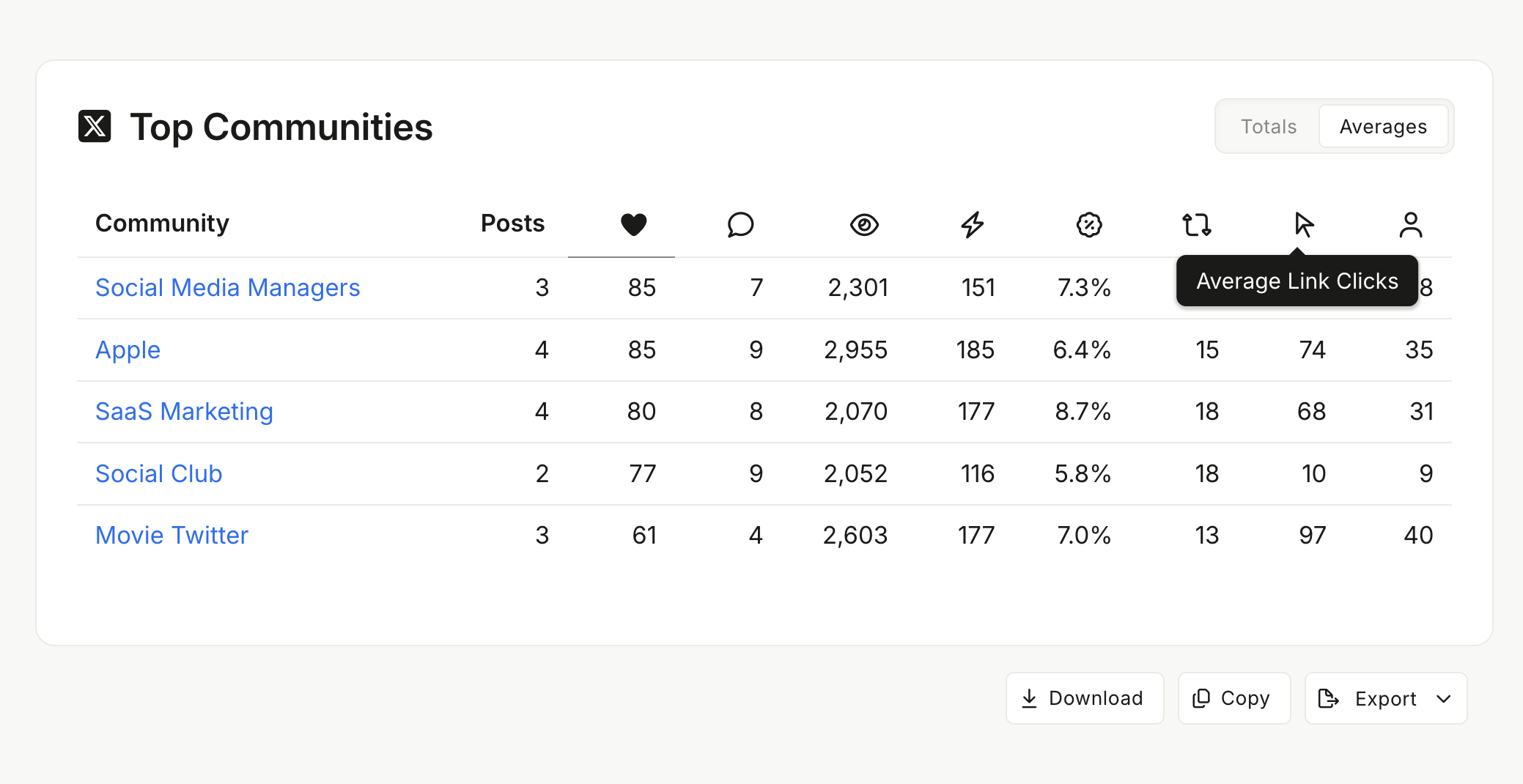
You can now view your top X Communities in Analytics. Find out which communities get the most engagement and drive the most traffic to your website or profile.
To get started, head to Analytics > Accounts and add an X Account.
Multiple API Key Support
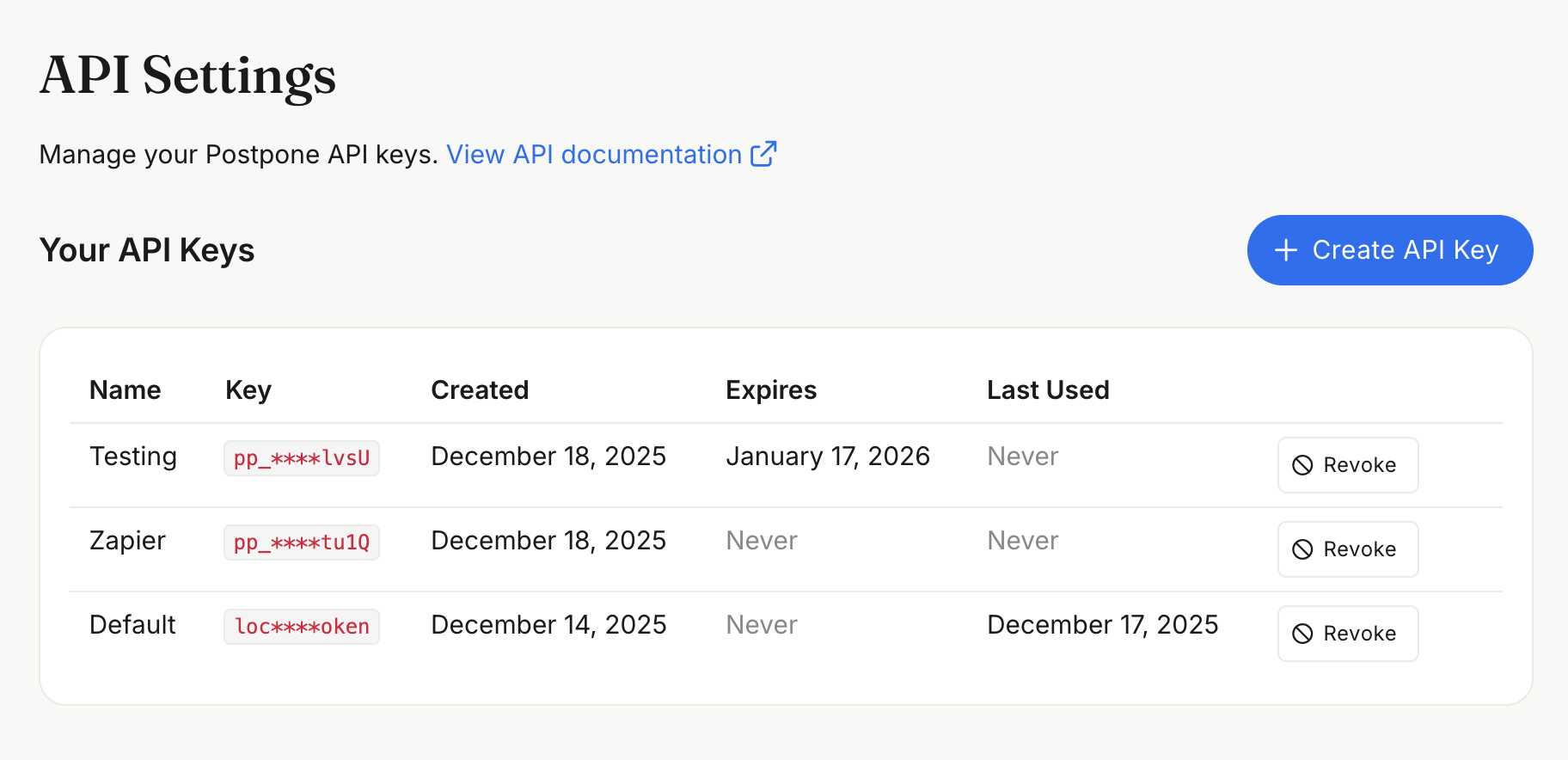
Postpone now supports creating multiple API keys with optional expiration. This means you can now have separate API keys per environment, expire API keys for added security, and rotate API keys with no downtime.
To get started, head to Settings > Integrations > API.
Improvements
Added posts published from outside of Postpone to the Scheduled Posts calendar.
Added the ability to tag posts in the Scheduled Posts calendar.
Added the ability to view all posts, scheduled posts only, submitted posts only, or native posts only in the Scheduled Posts calendar.
Select More... filters from the Scheduled Posts page while in Calendar view.
Added avatars to conversation replies in Threads comment inboxes.
Huge performance improvements in the Scheduled Posts calendar.
Improved all backends used for Postpone's AI features. Results should be faster and better now.
Added a confirmation step when marking a post as submitted before launching a platform.
Added a reminder step when closing the notification post modal after launching a platform but not marking the post as submitted.
Added copy image and download media context menu buttons to media in the prepare to submit notification post modal when right-clicking.
Added a maximum resolution of 75 MP to image uploads to ensure thumbnails render and images successfully publish.
Improved the UI connecting LinkedIn Pages and Profiles.
Improved the UI of choosing user client and social account access.
Added post tags, LinkedIn posts, and Twitter posts to the API.
 Bug Fixes
Fixed an issue where Postpone would show a user with access to "Some" social accounts when they have access to no accounts.
Fixed an issue submitting Bluesky posts with no media.
Fixed an issue where it was possible to schedule Instagram posts with captions that are too long.
Fixed an issue bulk importing posts that used the same media multiple times.
Fixed an issue where post tags with long names would fail to be created.
Fixed an issue where inboxes were created for LinkedIn profiles.
Fixed an issue where Reddit analytics could show duplicated results.
Fixed a few issues that could cause LinkedIn post failures.
Fixed an issue that could cause Threads post failures.
 Mobile App Updates
In addition to the preceding huge list of improvements, we also released an update with lots of improvements to Postpone's mobile app for iOS and Android:
Even more notification posting improvements
Added the ability to automatically mark posts as submitted 2 minutes after launching a platform app.
Added the ability to blur images in notification posting for privacy.
Added the ability to choose which Reddit posting buttons (Web or App) appear in notification posting.
Post Scheduling
Added previously used Reddit post title autocomplete when scheduling Reddit posts.
Added support for numbering threads with multiple different formats for X, Threads, Bluesky, and Mastodon.
Added post auto-removal support for X, Threads, Bluesky, and Mastodon.
Creating a post now skips the select account screen if only one social account is connected.
Conversations
Added support for long-pressing a Conversation from the Inbox screen to mark as unread, archive, or hide users.
Analytics
Added engagement rate metric support to Analytics.
General improvements
Added retry buttons across more screens, in case data fails to load.
Added subreddit to the trashed posts list.
Added support for emptying the entire trash.
Added support for removing Threads posts from Threads in History.
Several UX improvements to editing Draft posts.
Bug fixes
Fixed an issue displaying liquid glass modal header buttons with longer text.
Fixed an issue where marking conversations as unread would instantly re-mark them back to read.
Fixed an issue restoring trash posts to drafts.
Fixed the hide user icon on Android.
Fixed an issue where Past Due Posts would only show 20 posts at most.
Closing
That's it for today!
If you haven't yet, please be sure to follow us on our other socials, so that you can stay in-the-loop on product updates: